
Role:
Product Designer
Client:
Conceptual Project
Time:
May 2026
Create a Concept for an Application for Real-Time Translation of German Sign Language (DGS)
1. Overview
The Challenge
In everyday spontaneous communication between deaf or hard-of-hearing individuals and hearing individuals a severe communication barrier persists. Human interpreters are unavailable and existing apps address this problem insufficiently, as they are mostly unidirectional or rely on written language as an alternative.
The Solution
A highly accessible mobile concept combining edge-AI tracking with collaborative UX design to enable fast, barrier-free communication.
2. Project Scope & Problem
Business Goals
Conceptualize a viable, accessible digital bridge for the deaf and hard-of-hearing (DHH) community as an academic capstone (€0 budget).
User Pain Points
Deaf individuals face high friction in time-critical situations (e.g., bakeries, checkouts). Existing 3D avatars lack crucial facial expressions, falling into the "uncanny valley" and causing community rejection.
Constraints
The project faced severe limitations: a massive lack of open-source DGS training data, strict GDPR biometric privacy rules, and the physical clash between a handheld device and a two-handed language.
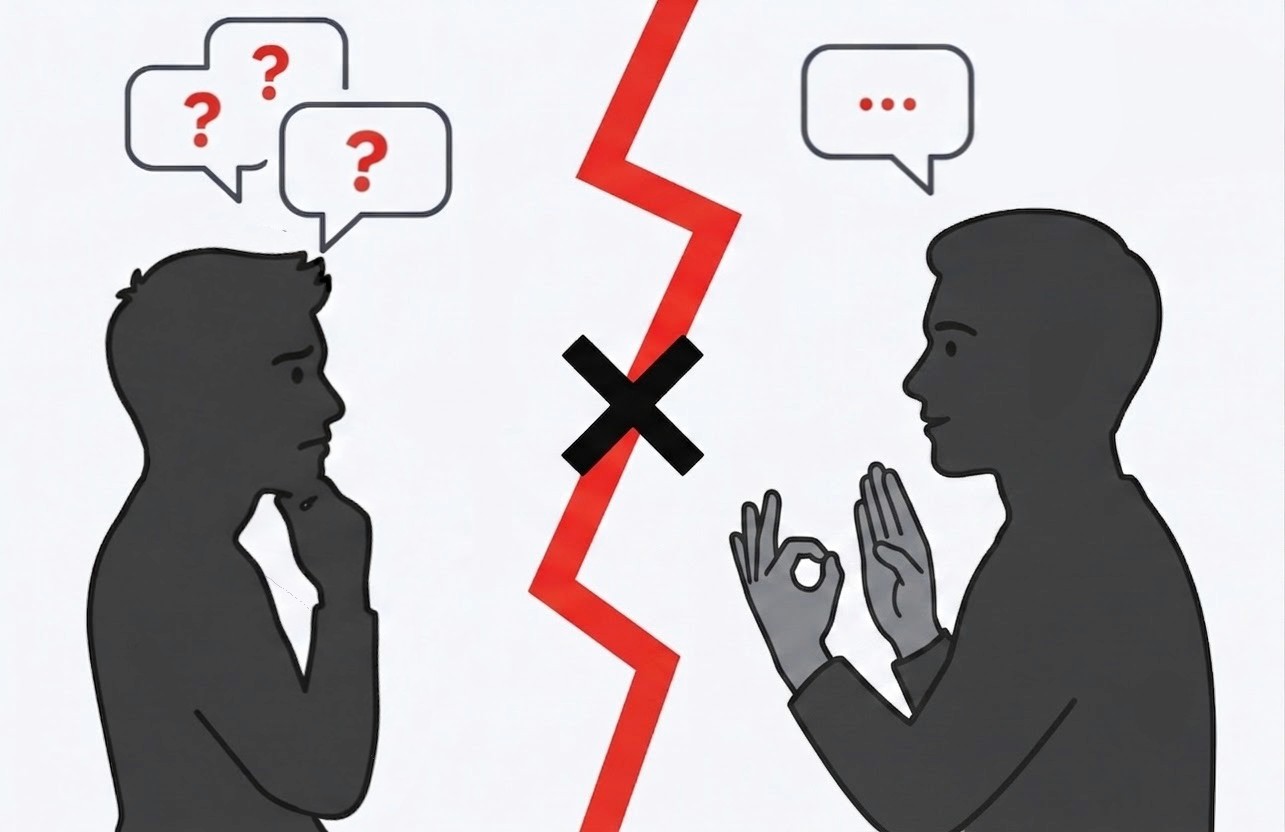
The Problem: The communication barrier between spoken and sign languages.
3. Research and Strategy
Key Findings
Spatial Grammar: DGS is not spoken German; it has a unique syntax.
Facial Nuance: Up to 20% of grammatical meaning relies on facial expressions. Tracking only hands is linguistically insufficient.
Privacy by Design: Tracking faces requires processing sensitive biometric data (GDPR). AI processing must happen locally (Edge AI).
Archetypes / Personas
The primary persona requires fast, visual, and tactile feedback. Text-heavy interfaces cause cognitive strain because written German functions as an unfamiliar second language.
Problem Redefinition
The challenge shifted from simply "translating gestures" to capturing holistic spatial data while designing a collaborative interface that hearing partners can easily operate.
4. Ideation and Iteration
Architecture and Flows
A flat hierarchy with a dominant "One-Button" interaction minimizes cognitive load and allows instant access to the core translation flow.
Trade-offs
A critical trade-off involved the physical impossibility of signing with both hands while holding a smartphone. Instead of forcing a flawed technical workaround, the design pivoted to a collaborative model: optimizing the interface so the hearing partner can easily hold the device and keep the camera framed.
Testing and Refinement
Global navigation causes visual noise during high-stress interactions. The design was iterated to feature "Distraction-Free Tunneling," completely hiding the tab bar inside a full-screen modal during active translation.

Initial Wireframes: Mapping out the core user flow and translation steps.
5. Final Design
Home & Input
The dark slate UI reduces visual glare and cognitive fatigue for prolonged visual attention. On the camera screen, a simulated AI overlay provides real time feedback, confirming that the system is successfully tracking both hands and lips.
Output & Avatar
High-contrast cards ensure the hearing partner can read text from a distance. The 3D avatar emphasizes distinct facial expressions for grammatical accuracy.
Interactions
Auditory feedback is replaced with "Semantic Haptics." System states (e.g., "camera ready," "hands out of frame") are communicated through distinct, learnable vibration patterns.
Design System
Strictly adheres to POUR accessibility frameworks and meets the WCAG AA contrast standards, utilizing highly legible typography.

The Solution: Final interface designs for the SignBridge translation ecosystem.
6. Outcomes and Learnings
Measuring Cognitive Load
To establish a baseline for the main workflow, an internal evaluation was conducted using the NASA Task Load Index (NASA-TLX).
Estimated Workload Range: 25 – 36 / 100 (Low Friction)
Low Cognitive Strain: The linear "One-Button" layout and full-screen tunneling successfully minimize mental demand and frustration.
Physical Demand Realism: The index isolates physical exertion as the primary workload contributor, accurately reflecting the expressive nature of DGS.
Performance Confidence: The real-time AI tracking mesh provides immediate visual reassurance, reducing user anxiety regarding system accuracy.
This range serves as an initial walkthrough baseline. Empirical user testing with the deaf and hard-of-hearing (DHH) community is required in the next phase to capture authentic real-world cognitive loads.
Challenges Overcome
Navigated the contradiction between a two-handed language and a handheld device by shifting the UX focus to a collaborative, dual-user interaction model.
Reflection
An appealing user interface is only a small part of accessibility technology. Even though this concept still seems somewhat utopian at present due to enormous technical and financial hurdles, supporting marginalized communities remains of crucial importance. Even if only about 0.1% of the population in Germany uses DGS, the impact on independence in everyday life makes the continued development of such inclusive technology absolutely essential.
Next Steps
Transporting this concept into the future, a logical evolution could be expanding the mobile application into a B2B "Kiosk Mode." Partnering with retail chains to integrate the software into stationary counter tablets would completely eliminate the need to hold a device. This structural integration frees both hands for grammatically perfect communication and provides a scalable, systemic solution to the physical limitations of mobile hardware.